
A water reminder for Apple Watch that knows when to stop.
Pufferdrop is a water tracker app for iPhone and Apple Watch. One tap on your wrist logs your usual cup, and the nudges only come when you're behind.

7 days free on the yearly plan, then $14.99 a year.

One tap on your wrist
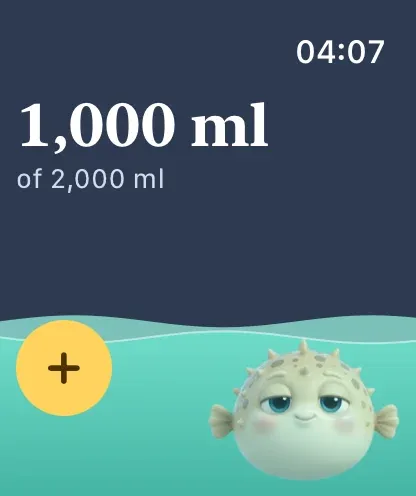
The Apple Watch app shows the same bowl as your iPhone: today's total, how far you are from your goal, and the fish's mood. Tap once and your usual cup is logged.
Add a complication and the bowl sits on your watch face, so logging a drink is a tap from the time.
Your iPhone and Apple Watch stay in step
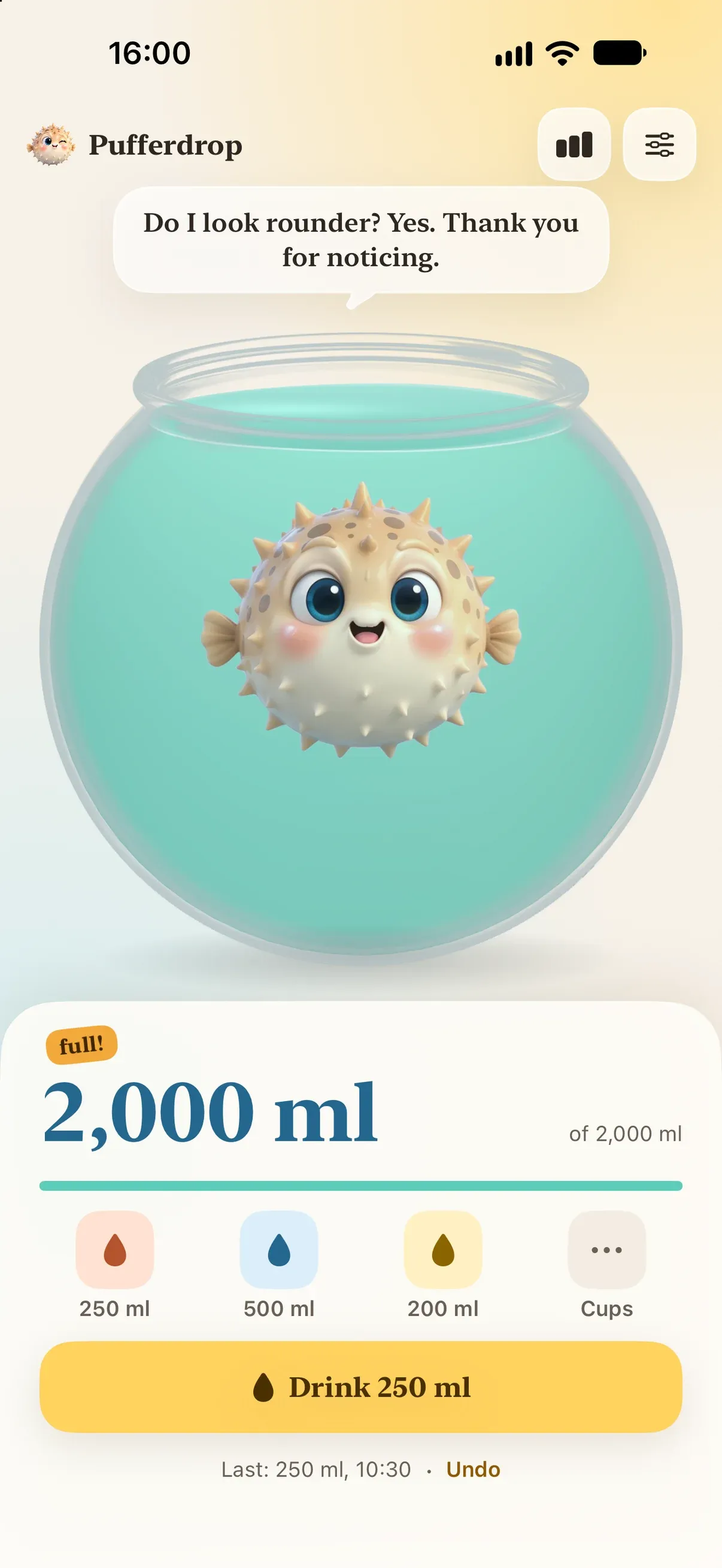
Drinks sync between your iPhone and Apple Watch directly when they're near each other, and through your own iCloud. Log on your wrist and the bowl on your iPhone, its widgets and its Live Activity fill too.
If you allow it, every drink is also saved to Apple Health as water.
Nudges with good timing
Nudges only come during your awake hours, only when you're behind the pace your goal needs, never within 45 minutes of a drink, and never once you've reached your goal. Each one has a Drank button, so a reply is the log.
- Chill: at most every 3 hours
- Normal: at most every 90 minutes
- Nag me: up to once an hour
Questions
Does Pufferdrop have an Apple Watch app?
Yes. It comes with the iPhone app, shows the same bowl and logs your usual cup with one tap. Complications put it on your watch face.
Which Apple Watch does it need?
Pufferdrop on Apple Watch runs on watchOS 26 or later, paired with an iPhone running iOS 26 or later.
Can I log other drinks from Apple Watch?
Yes. The big button logs your usual cup, and Cups in the toolbar lists your other saved cups. Undo is there too, for the drink you didn't mean to log.
Does it cost extra for Apple Watch?
No. One subscription or the lifetime purchase covers iPhone and Apple Watch. It starts with a 7-day free trial of the yearly plan.