
A water widget you can tap.
Pufferdrop is a water tracker app for iPhone and Apple Watch. Its widgets show the bowl and today's total, and one tap logs a drink without opening the app.

7 days free on the yearly plan, then $14.99 a year.

Small, medium and large
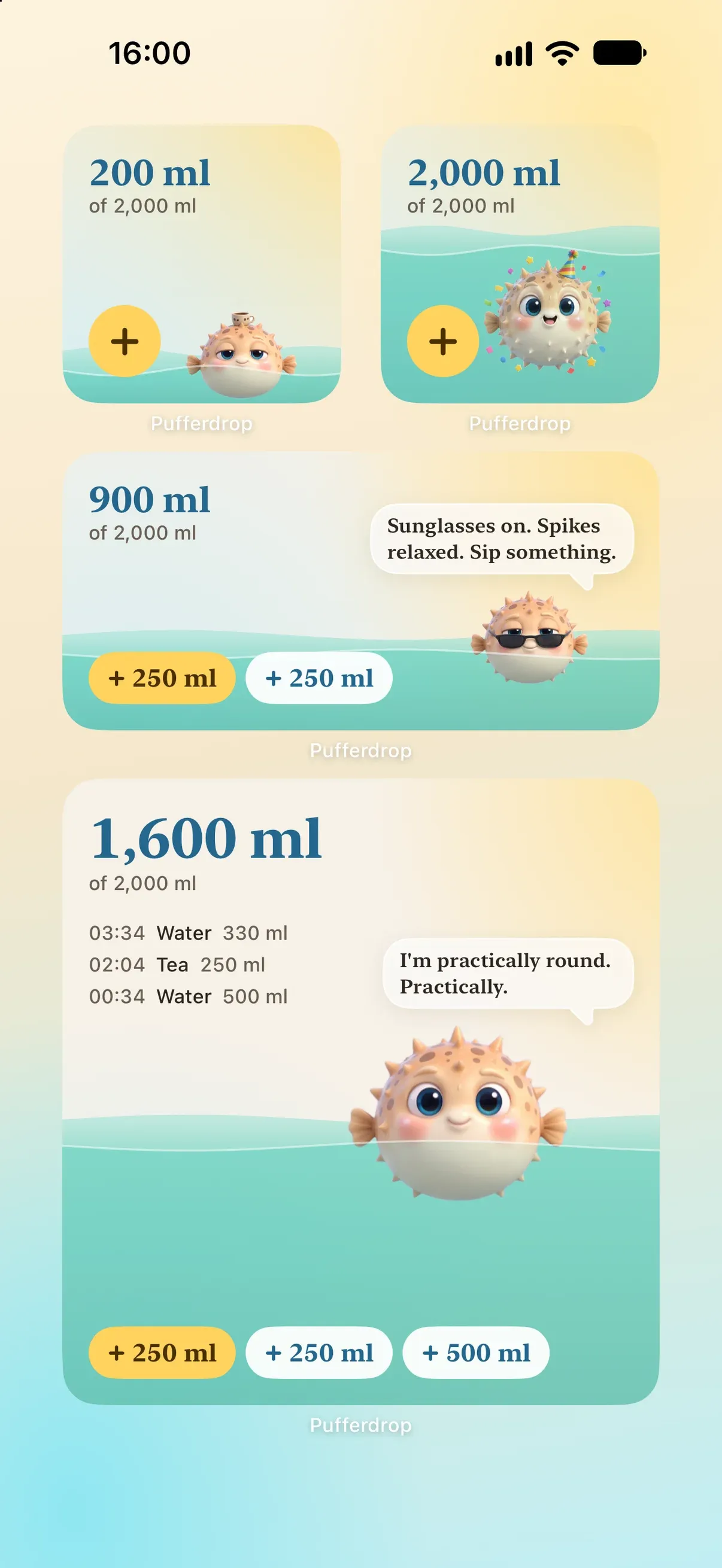
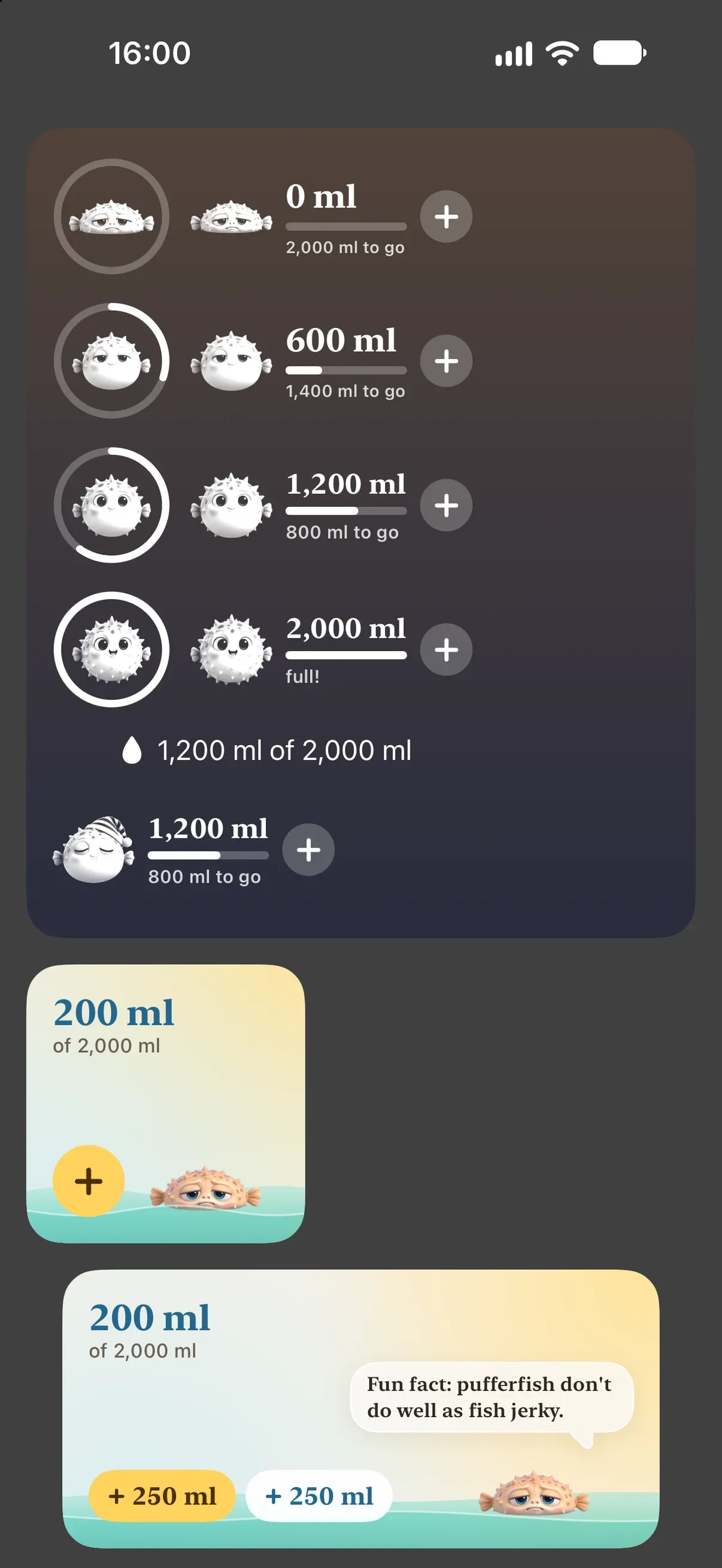
The small widget shows today's total and logs your usual cup. The medium one adds the fish's line and buttons for your cups. The large one adds your latest drinks.
The water fills from the bottom to today's share of your goal, and the fish swims at the surface, or lies on the floor when you haven't had much.
The fish keeps its own day
On the widget, the fish follows the time of day: a yawn just after you wake, a coffee mug on its head in the morning, sunglasses around lunch, a party hat at your goal, and a nightcap outside your awake hours. Its line changes through the day too.
And the rest of the iPhone
The same one tap works from the Lock Screen, Control Center, the Action button, Siri, the Live Activity, a nudge and Apple Watch.
- Home Screen widgets
- Lock Screen widgets
- Control Center
- Action button
- Live Activity
- Siri
- Apple Watch
Questions
How do I add the Pufferdrop widget?
Touch and hold an empty spot on your Home Screen, tap Edit, then Add Widget, and choose Pufferdrop. For the Lock Screen, touch and hold it, tap Customize, then Add Widgets.
Does tapping the widget open the app?
No. The widget's buttons log the drink right there, and the bowl updates.
Which cup does the widget log?
The yellow button is your usual cup; the others are your saved cups. Change your usual cup in the app by touching and holding a cup.
Do the widgets cost extra?
No. One subscription or the lifetime purchase unlocks everything, widgets included. It starts with a 7-day free trial of the yearly plan.